Define a B2B SaaS ICP for LinkedIn Without Targeting Everyone
Build a usable ICP worksheet from company criteria, buyer roles, exclusions and evidence, then translate it into LinkedIn research filters and a testable first segment.

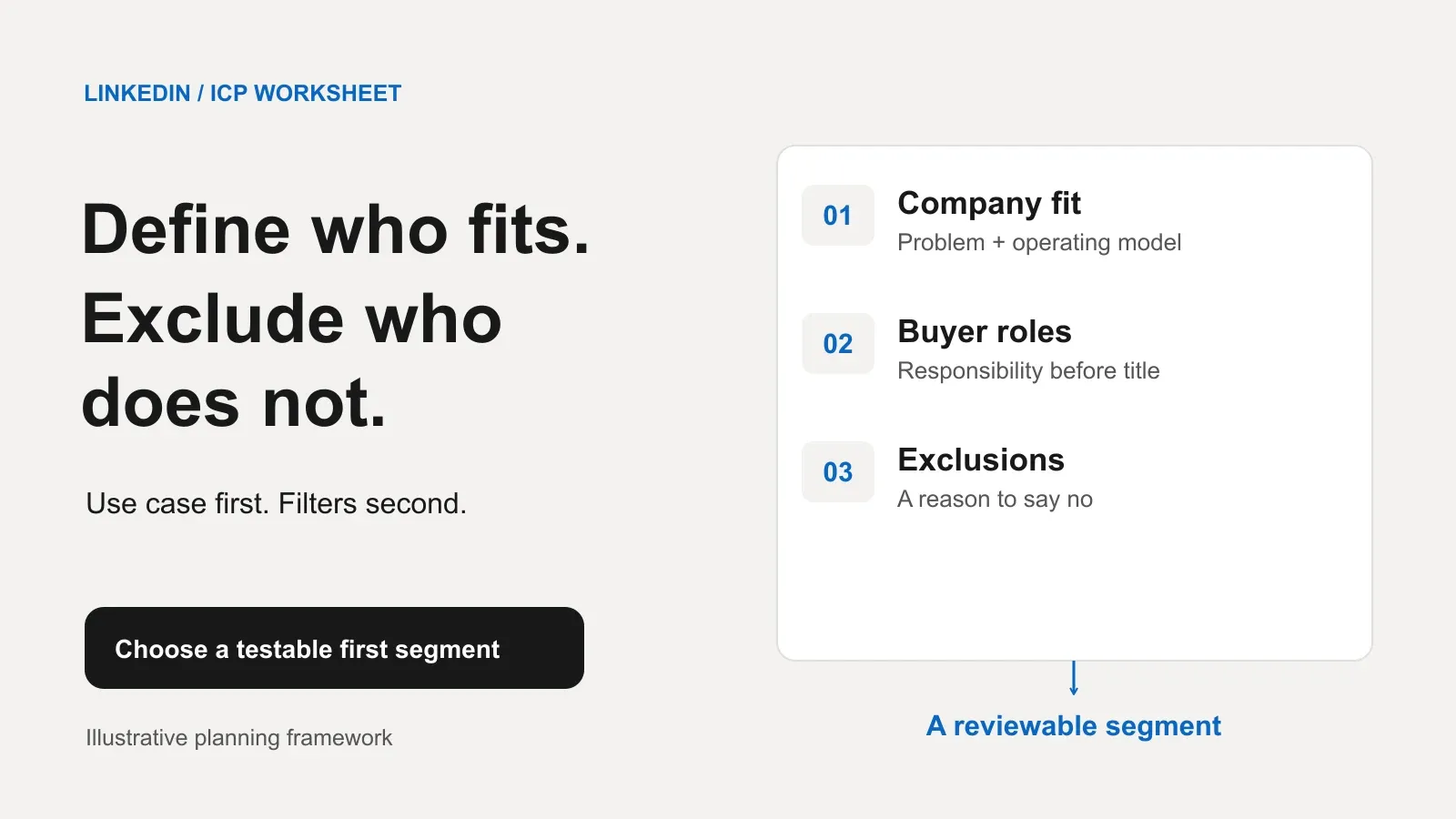
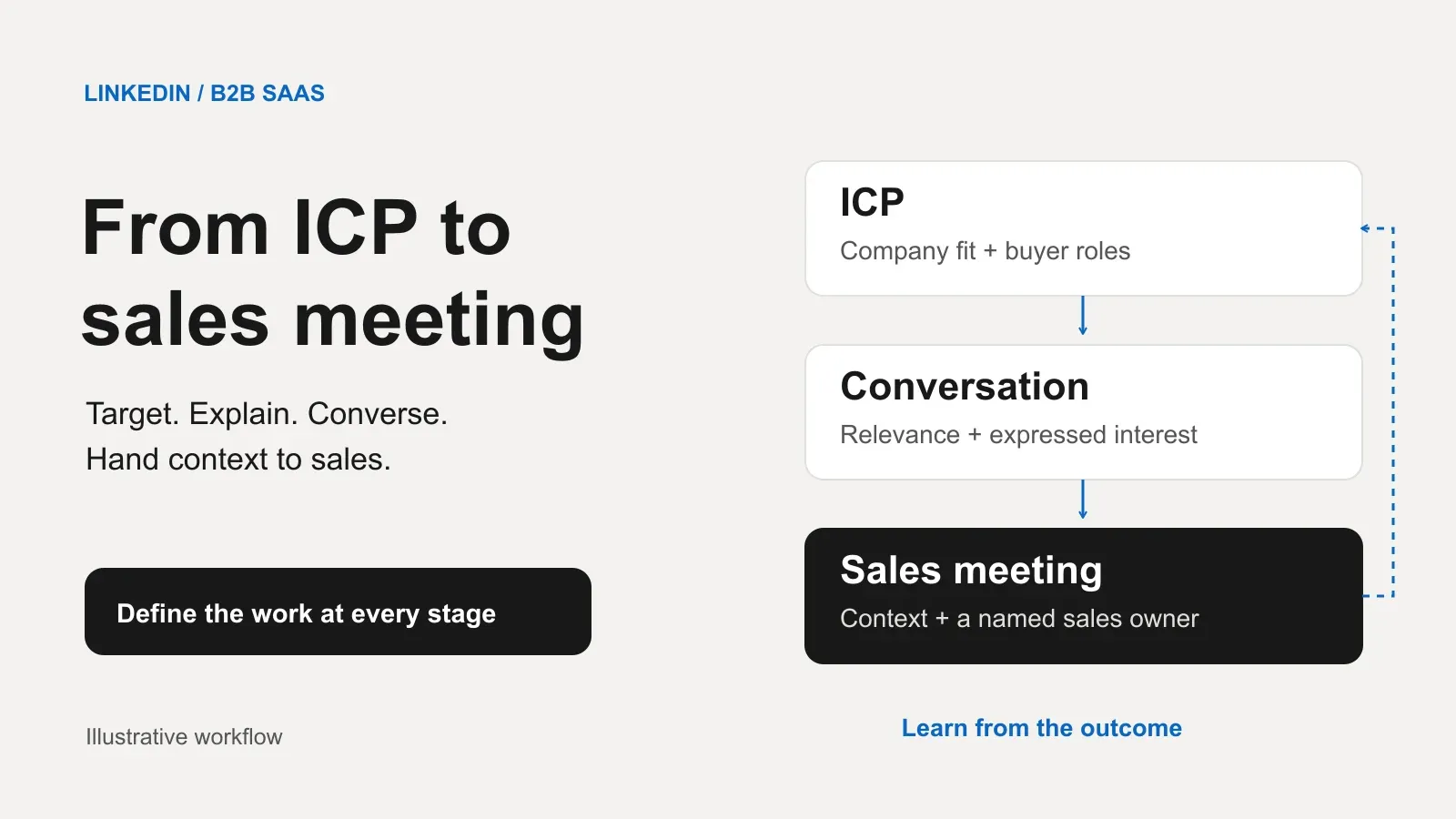
A B2B SaaS ICP for LinkedIn should describe the companies that fit a specific product use case, the roles involved in that problem, and the evidence needed before outreach. It should also say who you will exclude. A list of senior titles across every technology company is an audience description, not a useful ideal customer profile.
Start with the problem, then translate the company and role criteria into research. Keep search filters separate from things you still need to learn. This worksheet is our editorial planning framework, not a validated prediction of who will buy.
Define the use case before the industryLink to this section
Write a plain statement of the job your product helps a company do. Name the current alternative, the relevant product capability and the condition that makes the difference matter.
April Dunford’s positioning framework connects differentiated value with a particular set of customers and their alternatives.[1] Our recommendation is to use that connection as the starting point for your ICP, rather than choosing a fashionable industry and adding job titles afterward.
Use your own evidence: documented discovery notes, implementation requirements, product usage you are entitled to examine, and reasons a genuine evaluation did not proceed. Separate observed patterns from beliefs. If you lack that evidence, describe the initial ICP as a hypothesis and identify what would change your mind.
Fictional worked example: a SaaS product helps coordinate customer onboarding across sales, implementation and customer success. Its proposed differentiator is a shared record of handover ownership. The initial use-case hypothesis is that companies with cross-team onboarding may find that capability relevant. Nothing in this example describes a real company or measured outcome.
Fill in company criteria and exclusionsLink to this section
Use the worksheet below as a working document. For each row, write the inclusion rule, the reason it matters and how you will check it. Do not make a convenient filter the sole explanation of product fit.
| Worksheet field | What to write | Fictional worked example | Evidence or open question |
|---|---|---|---|
| Problem and alternative | The workflow and current approach | Ownership gets lost during onboarding handovers | Confirm whether a shared handover process exists |
| Business model | Who buys from this company and how delivery works | B2B subscription product with assisted onboarding | Review the company’s product and onboarding information |
| Company size | A range related to the workflow, not prestige | Roughly 50–200 employees as a planning assumption | Does headcount correspond to cross-team complexity? |
| Service geography | Where you can support the product | United States for this fictional test | Confirm service requirements, not just headquarters |
| Required capability | A technical or operational prerequisite | A team able to maintain a shared handover record | Establish the actual workflow in conversation |
| Buyer roles | Who owns, evaluates or funds the change | Customer success or implementation leadership | Verify responsibility instead of inferring it from title |
| Exclusions | Hard reasons the use case fails | Fully self-serve onboarding; services-only businesses | Document the reason for rejecting an account |
| Unknowns | What public research cannot establish | Budget, timing and dissatisfaction with current tools | Ask only when relevant; keep unknown until answered |
All entries in the worked-example column are fictional assumptions. The headcount range is a planning choice, not a benchmark or a claim that LinkedIn offers that exact range as one filter.
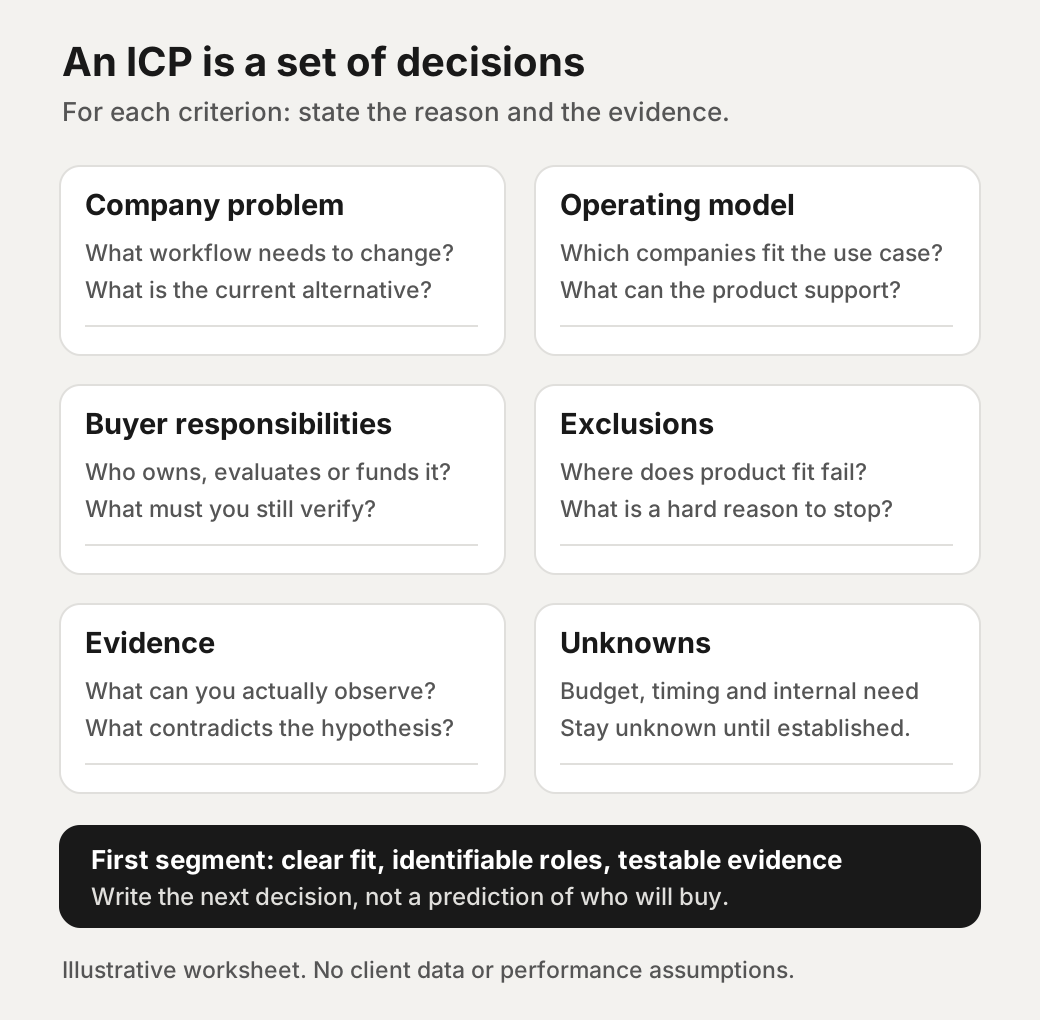
Make exclusions operational. If a product needs assisted onboarding, a self-serve company is not a marginal lead to contact anyway. If you cannot support an implementation requirement, record that limitation. Keep present customers, active sales discussions and people who have declined follow-up out of the new-prospect exercise according to your team’s records.
Map responsibilities before selecting titlesLink to this section
Create role hypotheses around the workflow. For the fictional example, customer success might own the outcome, an implementation manager might evaluate the process, a revenue leader might fund it, and an IT reviewer might assess access requirements. These are possibilities to verify, not a universal buying committee.
For each role, write a question the person can plausibly answer. The working owner might explain where handovers break down. A reviewer might explain implementation constraints. A budget owner might assess whether a change deserves resources. Different questions should not be squeezed into the same generic pitch.
Then collect title variants from relevant public profiles you review manually. A title is a discovery cue, not proof of authority. If the company is small, responsibilities may overlap. If it is larger, the apparent leader might delegate the evaluation. Keep role confidence alongside the title so the outreach owner can see the uncertainty.
Translate the worksheet into actual LinkedIn filtersLink to this section
Sales Navigator is a prospect-research tool; Campaign Manager’s targeting controls are for advertising.[2][4] Similar field names do not make an advertising audience an outreach list. The mappings below use LinkedIn’s official documentation reviewed for this article.
Sales Navigator: company research, then peopleLink to this section
LinkedIn documents account filters for industry, headquarters location and company headcount.[3] Lead filters include current company, current job title, function, seniority and geography. Geography concerns the lead’s location; company headquarters is a separate field.[2]
Use this compact mapping when building the research brief:
| ICP criterion | Documented Sales Navigator starting point | Still needs verification |
|---|---|---|
| Company category | Account industry | Product and operating model |
| Company scale | Account company headcount | Workflow complexity |
| Headquarters | Account headquarters location | Service eligibility |
| Role hypothesis | Lead title, function and seniority | Actual responsibility |
| Person’s location | Lead geography | Team remit |
The account mappings come from LinkedIn’s advanced-filter page; the lead mappings come from its filter definitions.[3][2] Select the available bands that approximate your company-size rule, then manually review boundary cases. Do not imply that a broad software category proves a subscription business or that a role filter establishes purchase intent.
Campaign Manager: a separate paid-audience mappingLink to this section
LinkedIn’s ad documentation lists company industry, name and size, plus job title, function, seniority and member skills. Location is required for ad targeting. Company size is estimated, using Page-admin input or associated member accounts when size is missing; job titles may be standardized or inferred.[4]
If your team also runs ads, record which attributes approximate your ICP and check the actual audience settings. Do not copy a desired list of people into a plan and imply those people will receive an ad. Neither the advertising attributes nor the prospecting fields establish the internal problem, available budget or evaluation timing in our worked example.
Choose a first segment you can disproveLink to this section
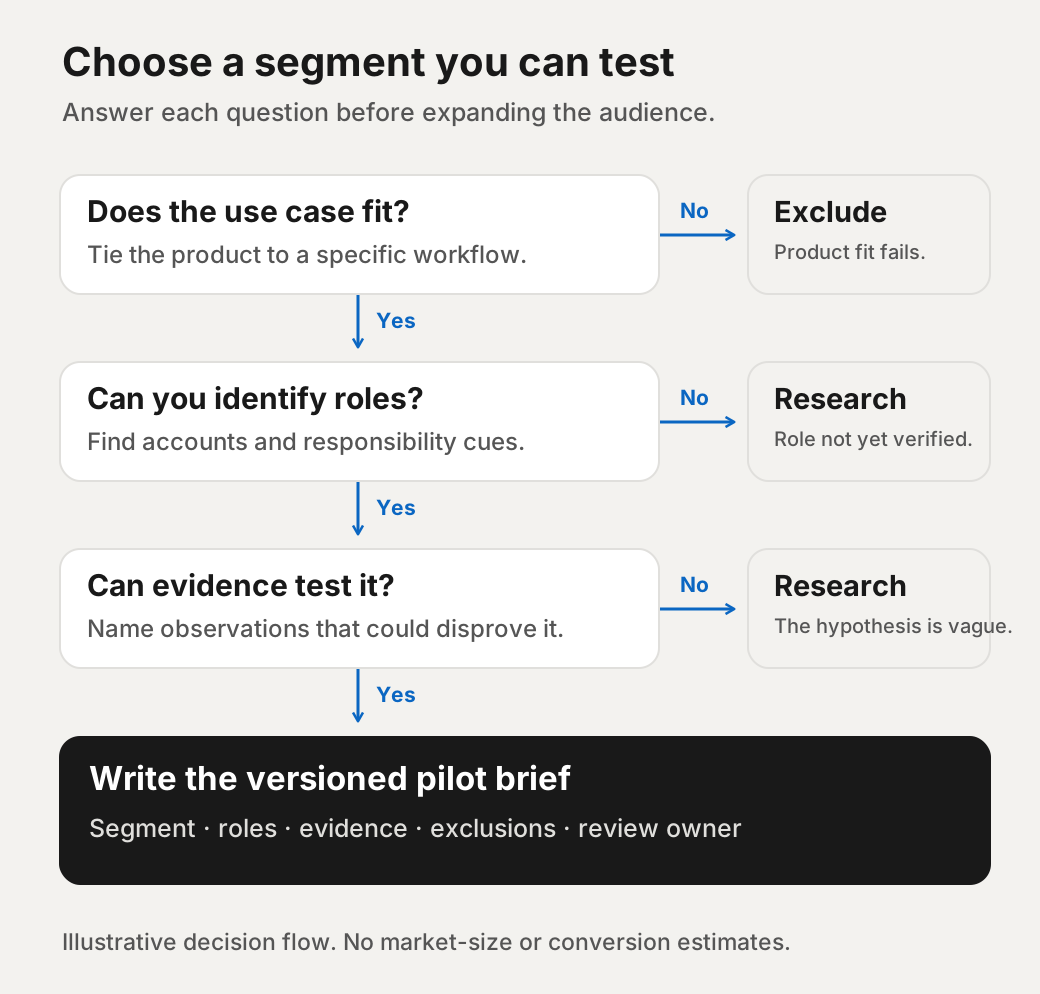
Avoid launching every plausible use case together. Choose a segment with a clear product connection, identifiable role hypotheses and evidence you can realistically review. State why it deserves attention now and what observation would undermine it.
For the fictional product, compare these candidate segments:
| Candidate | Planning rationale | Main uncertainty | Initial decision |
|---|---|---|---|
| B2B subscription companies with assisted onboarding | Directly matches the proposed handover use case | Whether ownership actually causes friction | Research first |
| Self-serve subscription companies | Fits the broad software category | Whether a cross-team handover exists at all | Exclude from this use case |
| Services-only businesses | May have complex delivery handovers | Whether the product supports that operating model | Hold for separate product-fit research |
These are illustrative decisions, not measured segment rankings. The strongest starting point is the candidate with the clearest testable reasoning, not the most attractive search result count.
Write the initial test briefLink to this section
Turn the worksheet into a sentence another person can use: “Research companies with this operating model and workflow, in our service geography, where this role may own the problem; exclude these mismatches, and check these unknowns before proposing a meeting.” If the sentence still says only “technology leaders,” revisit the company problem.
Keep the brief beside the working list, rather than leaving its reasoning in a kickoff conversation. When a researcher cannot apply a rule consistently, clarify the rule before adding more accounts. That is a targeting decision to resolve, not a reason to silently broaden the audience.
Complete this brief before anyone writes outreach:
- Segment: define the company rule, geography, size assumption and exclusions.
- Problem hypothesis: state the workflow issue without assigning it to every candidate.
- Role hypothesis: name the working owner and likely evaluator; identify unknown authority.
- Evidence: specify what must be visible in public research and what requires conversation.
- Message topic: choose a useful question about the workflow, not an unsupported claim of need.
- Observation window and owner: choose a review date suited to team capacity; name who decides next steps.
- Disconfirmation: define observations that would make you revise or stop the segment.
For the fictional example, disconfirmation might include accounts consistently using self-serve onboarding, the intended roles not owning handovers, or conversations revealing that shared ownership is not a meaningful problem. Silence alone cannot tell you which explanation is correct.
Review candidate accounts before pursuing conversations. Record include, exclude or uncertain with a short reason. Distinguish an absent public detail from evidence that a company fails the rule. Revise a criterion only with a recorded rationale, so later feedback can be connected to the version used.
Keep targeting separate from permission to contactLink to this section
An ICP decides relevance, not platform permission or consent. LinkedIn prohibits third-party software that scrapes or automates website activity and warns of account restriction or shutdown for prohibited tools.[5] This worksheet does not recommend scraping, automated outreach or workarounds for platform limits.
Use the resulting brief to improve research, content and qualification within the wider LinkedIn lead-generation workflow. Keep unknowns visible when handing work to another person, and let actual sales feedback change the hypothesis rather than stretching the ICP to fit every reply.
If you would like help discussing a first segment for your SaaS product, book a call with us. Bring the worksheet, your evidence and the exclusions you are still deciding.