LinkedIn Lead Generation Metrics: A SaaS Funnel Scorecard
Define LinkedIn activity, content and sales metrics with consistent cohorts, explicit denominators and a blank scorecard that separates attribution from revenue claims.

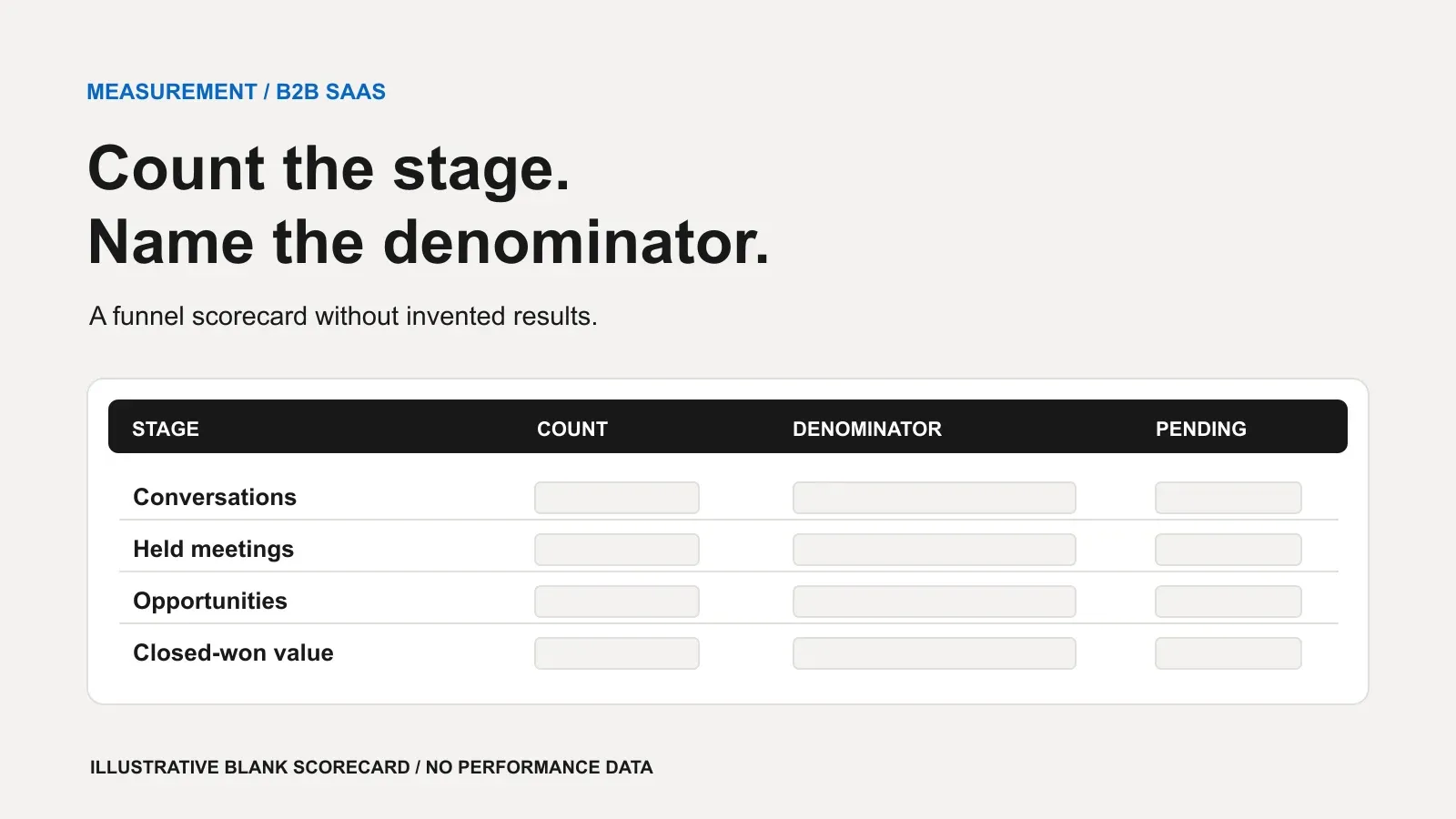
Useful LinkedIn lead generation metrics connect activity to conversations, held meetings, sales decisions and closed business. Each metric needs a counting unit, a denominator, a cohort and a cutoff date. Without those, a rising total can mean more work rather than a better funnel.
We recommend separate views for content visibility, outreach progression and CRM outcomes. This article supplies an editorial measurement framework and a blank scorecard, not benchmarks or Sapps performance data. LinkedIn’s definitions ground the content measures; public CRM documentation illustrates lifecycle and attribution choices. HubSpot and Salesforce are examples, not endorsements.
Start with the question, not the dashboardLink to this section
Choose the decision you need to make. Are the intended buyers seeing the content? Are relevant conversations progressing? Are scheduled calls happening? Does sales find a reason to pursue the opportunities?
Do not label all of these “leads.” Keep a field for the event or decision behind each stage, and name the person responsible for recording it. The report should distinguish an unanswered message from a negative reply, and a held call from a qualification decision.
For a channel overview before building the report, see LinkedIn lead generation for B2B SaaS.
Keep LinkedIn analytics in their native scopeLink to this section
LinkedIn’s Page content analytics estimates post displays as impressions, and distinct members and Pages as members reached, excluding repeat displays. These are exposure measures, not a count of identified potential buyers[1].
Page clicks include content, company-name and logo clicks by signed-in members. Page engagement rate divides clicks, reactions, comments and shares by impressions[1]. Do not rename that rate “website conversion” or treat every click as a website visit.
Member post analytics is a separate reporting surface. LinkedIn lists categories such as discovery, profile activity, social engagement and link engagement, with availability depending on post type[2]. Record whether the source is a member post or a Page, rather than applying the Page formula to every profile metric.
The Page documentation also notes different coverage for boosted-post analytics and Campaign Manager[1]. Our recommendation is to separate organic and paid data, identify the reporting surface and record the extraction date. Compare like with like.
Define the cohort before calculating ratesLink to this section
A cohort is a group selected by a shared entry event. For outreach, we suggest distinct eligible prospects first contacted during a stated period, segmented by ideal-customer profile, message purpose and channel. Record exclusions and duplicate handling before counting outcomes.
An illustrative cohort label is “new prospects first contacted during the reporting period, observed through the agreed cutoff.” It is a definition, not a dataset. Keep later replies and meetings attached to that entry cohort, even when they happen in a later period.
Maintain a second, clearly named event-period view for workload: messages sent, appointments due and meetings held during the period. Do not divide this period’s held meetings by this period’s new bookings and call it a cohort conversion rate unless they refer to the same bookings.
Use equal observation windows when comparing cohorts. If newer prospects have not had time to reply or attend, label their outcomes pending rather than interpreting the gap as poorer performance. Where the denominator is empty, report the rate as not applicable, not zero performance.
A metric-definition table for the funnelLink to this section
The following operational definitions are our proposed reporting contract. Only the Page analytics rows use LinkedIn’s native definitions; the other rows require agreement between outreach and sales. Record rates as percentages using the listed ratio, and always retain the underlying counts.
| Metric | Count or numerator | Denominator and scope |
|---|---|---|
| Outreach activity | Messages or invitations actually sent | Count only; state channel, event period and owner. Separate attempts from distinct prospects. |
| Connection acceptance | Distinct prospects accepting the invitation | Distinct prospects invited in the same invitation cohort, observed to the cutoff |
| Reply rate | Distinct prospects with a human reply | Distinct prospects messaged in the same outreach cohort; state which reply types count |
| Relevant conversation rate | Distinct replying prospects with an agreed business-relevant exchange | Distinct replying prospects in that cohort; define relevance before review |
| Page impressions | Estimated displays of the post | Count only; identify Page, content scope and period[1] |
| Page engagement rate | Clicks, reactions, comments and shares | Impressions for the same Page content scope and period[1] |
| Booking progression | Distinct relevant prospects agreeing to a first sales meeting | Distinct relevant-conversation prospects in the same cohort |
| Held rate | Distinct first-meeting intents completed by the cutoff | Distinct first-meeting intents booked in that cohort; disclose pending and canceled outcomes |
| Qualification rate | Distinct held-meeting prospects sales validates against written criteria | Distinct prospects whose first meeting was held in that cohort |
| Opportunity progression | Distinct qualified prospects linked to an opportunity meeting entry rules | Distinct qualified prospects in that cohort; deduplicate shared deal associations |
| Closed-won rate | Distinct won opportunities | Distinct opportunities created from the cohort, observed to the cutoff; keep open and lost counts |
| Closed-won value | Sum of the chosen value field for distinct won deals | No conversion denominator; state currency, amount basis and attribution rule |
For opportunity progression, count prospects to preserve the denominator. Separately report unique opportunities and deal value. The scorecard’s opportunity row records unique deals; calculate prospect progression separately using matched prospect units. Several buying-committee members linked to the same opportunity must not multiply the pipeline amount.
Separate attendance, qualification and deal creationLink to this section
For this scorecard, “held” means the prospect and sales representative had the intended conversation. A booking, a cancellation or a reschedule is not a completed meeting. HubSpot documents distinct properties for meeting outcomes, including completed, canceled, no-show and rescheduled[4].
Choose whether your attendance report counts appointment instances or first-meeting intents. We recommend intents for funnel progression and appointment instances for scheduling workload. Link rescheduled appointments to the original intent; count repeat discovery calls separately rather than as new prospects.
HubSpot’s default lifecycle stages distinguish sales-qualified leads, qualified by sales as potential customers, from opportunities, associated with deals[3]. Use your written criteria and named decision owner; a CRM label alone is not the underlying evidence.
For attendance, disclose future appointments, unresolved reschedules, cancellations and no-shows alongside completions. For qualification, show decisions still awaiting sales review. If you also calculate a resolved-only rate, label its narrower denominator prominently.
Make attribution an explicit ruleLink to this section
Keep three reporting labels separate: sourced, for deals meeting your stated origin rule; influenced, for deals with a documented qualifying touch; and attributed, for credit allocated by a named model. Those are proposed labels for your reporting contract, not universal CRM definitions.
HubSpot’s report-creation documentation distinguishes contact-create, deal-create and deal-revenue attribution. It lists first-touch, last-touch and linear models, among others. Its revenue date filter selects deals closed won with revenue in the chosen close-date period[5]. That differs from an outreach-entry cohort. The newer page and older definitions page have different model lists; we use the former for current models and the latter only for interaction categories[5][6]. Confirm options in your subscription.
In Salesforce’s Customizable Campaign Influence, the default Primary Campaign Source allocation gives the designated campaign 100% of the influence credit[7]. That percentage describes model allocation, not evidence that the campaign caused the whole sale. Salesforce also documents custom model options on the same page.
HubSpot categorizes meeting, call, sales-email-reply and conversation interactions as Sales. It explains that sales activities should be associated with the contact and relevant deal for deal-create and revenue attribution[6]. Do not assume an organic LinkedIn conversation will automatically appear as LinkedIn revenue credit.
Our recommendation is to retain the documented conversation origin alongside the CRM’s attribution result. Preserve the model, window, source evidence and exclusions. A changed model should not silently rewrite the explanation of a historical report.
Use a blank scorecard before setting targetsLink to this section
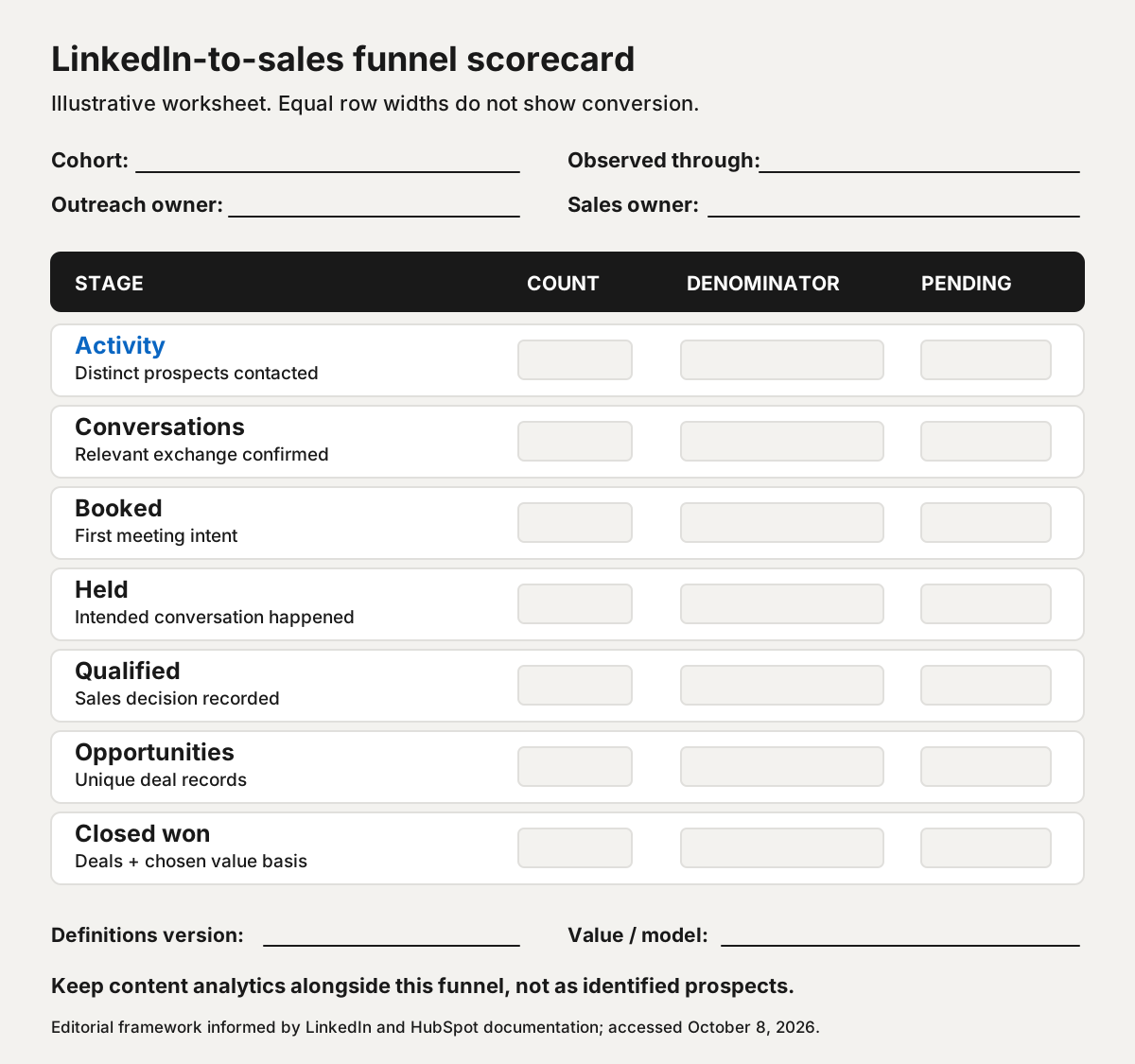
Fill the scorecard with counts before rates. Attach the relevant CRM records and the definition version. Keep content impressions and engagement beside the funnel, not at its top as if anonymous views were identifiable outreach prospects.
Use a reconciliation note to explain records that do not match: duplicate contacts, meetings without attendance decisions, or deals without a documented origin. Name an owner for resolving each gap. Our recommendation is to preserve the original extract alongside later corrections so a changed count can be explained instead of becoming an unexplained reporting revision.
For deal value, choose and label a basis such as contract value or annual recurring revenue. Do not relabel a CRM opportunity amount as recognized revenue, cash received or profit. State whether renewals, expansion, refunds and existing opportunities are included in your chosen report; seek appropriate finance input for accounting definitions.
Review the bottleneck without claiming causationLink to this section
Use each stage to choose a question. A gap between booked and held suggests reviewing scheduling and expectations. A gap between held and qualified suggests reviewing fit, the invitation’s purpose and sales assessment. Those are hypotheses, not findings from this blank framework.
Compare cohorts only after checking definitions, observation windows and data completeness. Change targets after you have usable observations, not because an unsourced benchmark looks attractive. Our agency-selection guide explains how to ask providers about reporting responsibilities before buying.
If you want to discuss a LinkedIn programme with a clearer measurement contract, you can book a call with us. Bring your current stage definitions and reporting questions so we can discuss what each side would record.
Sources
- Content analytics for your LinkedIn Page
- View post analytics for your content
- Use contact and company lifecycle stages
- HubSpot's default activity properties
- Create attribution reports
- How to Understand Attribution Report Definitions in HubSpot's Report Builder
- How Customizable Campaign Influence Works
- Prohibited software and extensions